Every rule, in dollars.
Daily loss, max drawdown and profit target in your account's currency, from the account size and balance you type — not a percentage you have to translate mid-trade.
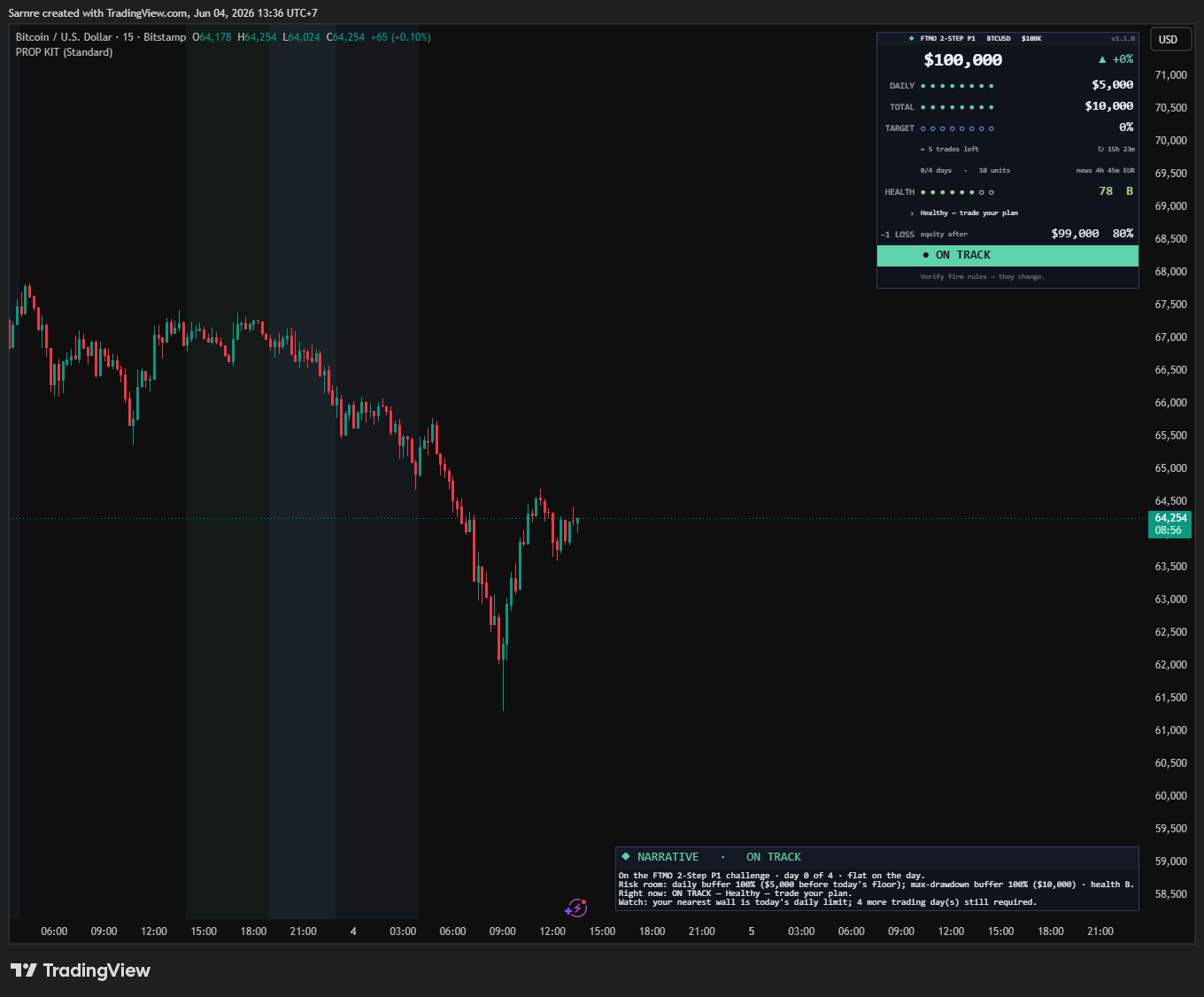
Your configured rules and account values, in dollars.Read the buffers before deciding your next trade.
Launch price · full 7-day refund, before you download
Prop Firm Challenge Toolkit alone is $29 once. All-Access Monthly is $14/mo; the first 7 days are $2.99 (2 downloads in the first week, the rest after the first $14 payment). It is cheaper than Prop Firm Challenge Toolkit alone for your first 2 months, and it includes Prop Firm Challenge Toolkit while you subscribe, plus a new tool for members every month.
v1.4.0 · actively maintained · free updates for life
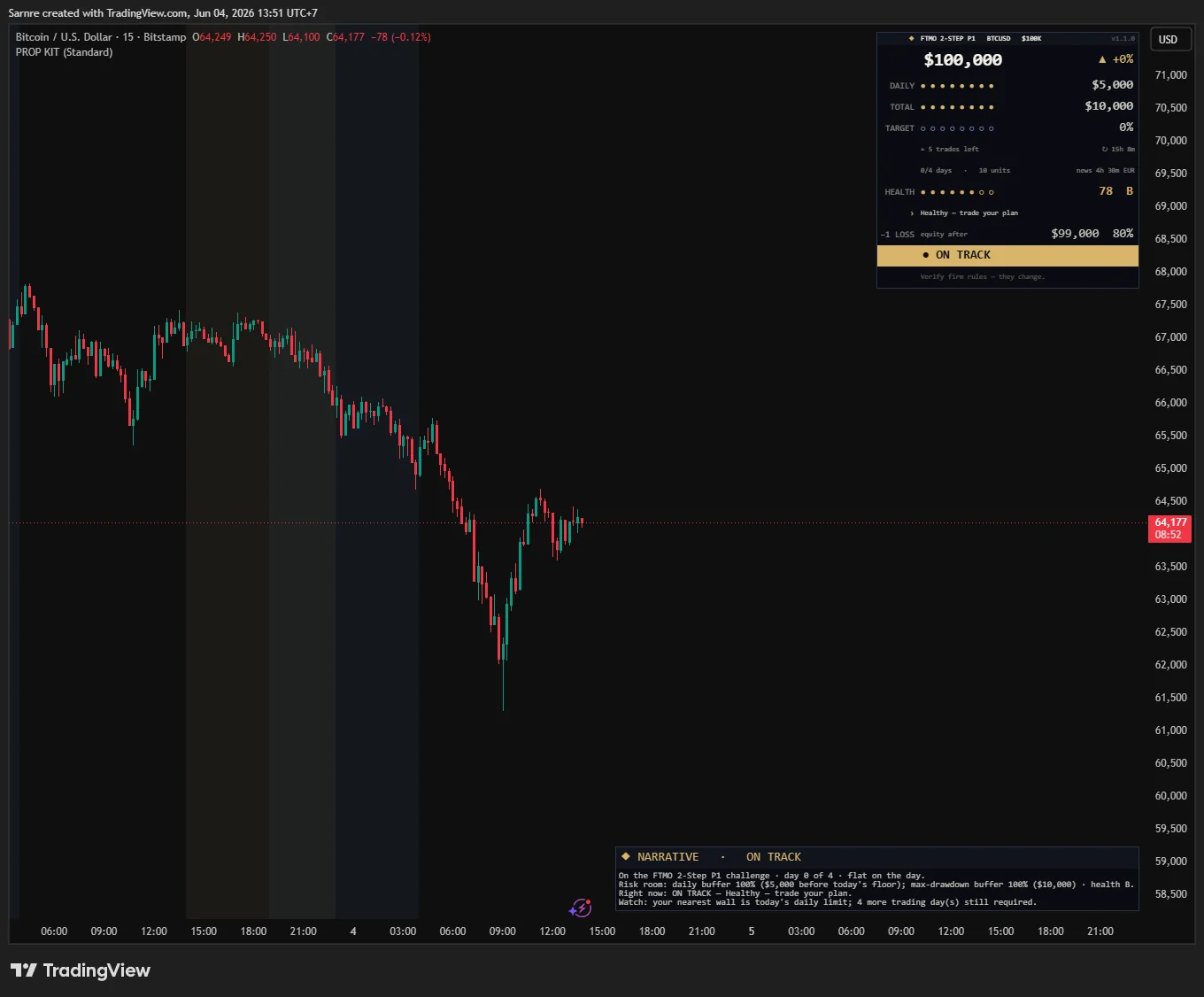
A prop firm writes its limits as percentages of a balance that moves. Turning them into dollars, and doing it again after every trade, is yours to do by hand. The toolkit does that arithmetic in a table on your chart, from the balance and P/L you type.
It does the arithmetic on the numbers you type. It can't see your broker, count trading days or check a consistency rule, and it can't close a trade: you place the orders, and your firm's dashboard has the final word.
Get Prop Toolkit — $29 · refundable for 7 daysWhen the numbers you type leave today's buffer thin, it flips to AT RISK and says it straight — “bank it, stop early today” — the moment that saves a challenge most traders fail.
See it call AT RISK ↓The challenge isn't won by a signal — it's lost by a rule breach. This toolkit puts your prop-firm limits on your chart in dollars, worked out from the balance you type, with one verdict so you see how close you are.
Daily loss, max drawdown and profit target in your account's currency, from the account size and balance you type — not a percentage you have to translate mid-trade.
ON TRACK / AT RISK / FAILED — a single status so you know your standing without doing math under pressure.
Deterministic risk calculations you can read line by line in the source — no black box deciding whether you've breached.
A plain-English risk panel, plus presets for popular firm rule-sets to get you set up fast.
Your configured rules, in dollars · pass it, keep it
Daily-loss limits, drawdown floors, profit targets and consistency rules differ by firm and account stage. Check the current rulebook and enter your account values. The toolkit displays the configured dollar buffers and risk readout on your chart. It can warn you; it cannot close a trade or guarantee you stay within the firm's limits.
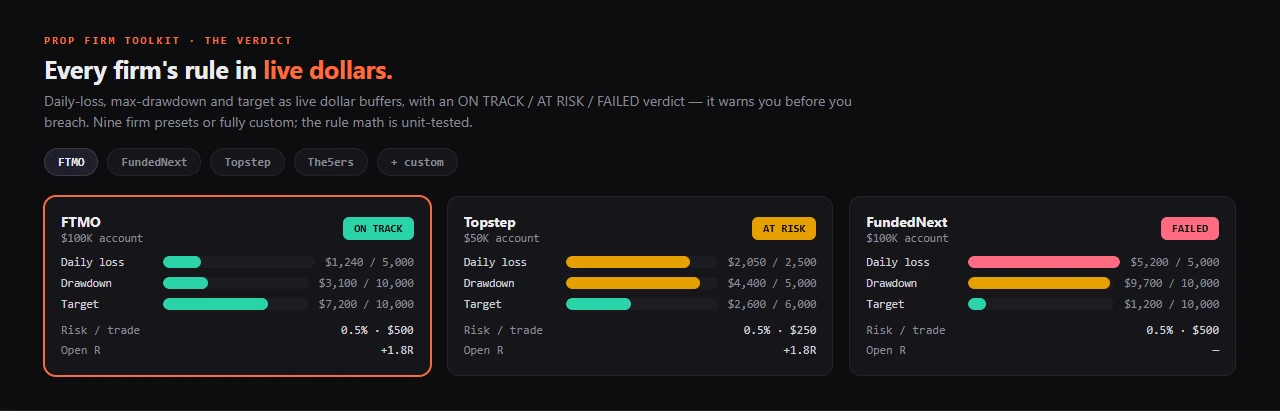
Every rule in dollars, worked out from the balance you type, one honest verdict, and the warning it gives when those numbers leave a thin buffer.
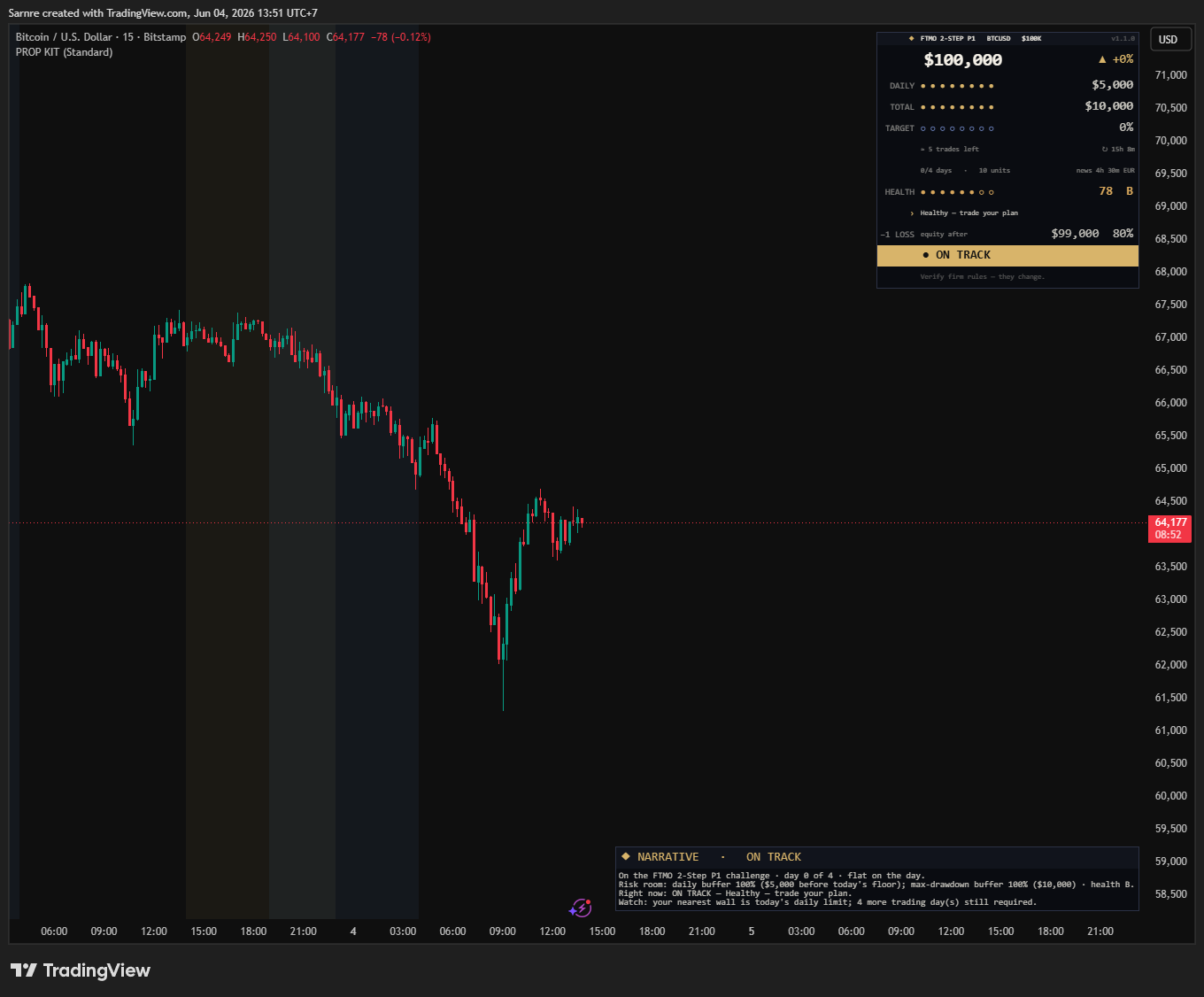
It can't touch your broker — so here's the honest workflow, balance to decision:
This is the part that sells it — the smoke detector working. The same panel coaches you through three states, and it's honest even when the answer is stop: ON TRACK → “healthy, trade your plan” · AT RISK → “daily buffer thin — bank it, stop early today” · FAILED → “challenge over — stop trading this account.”
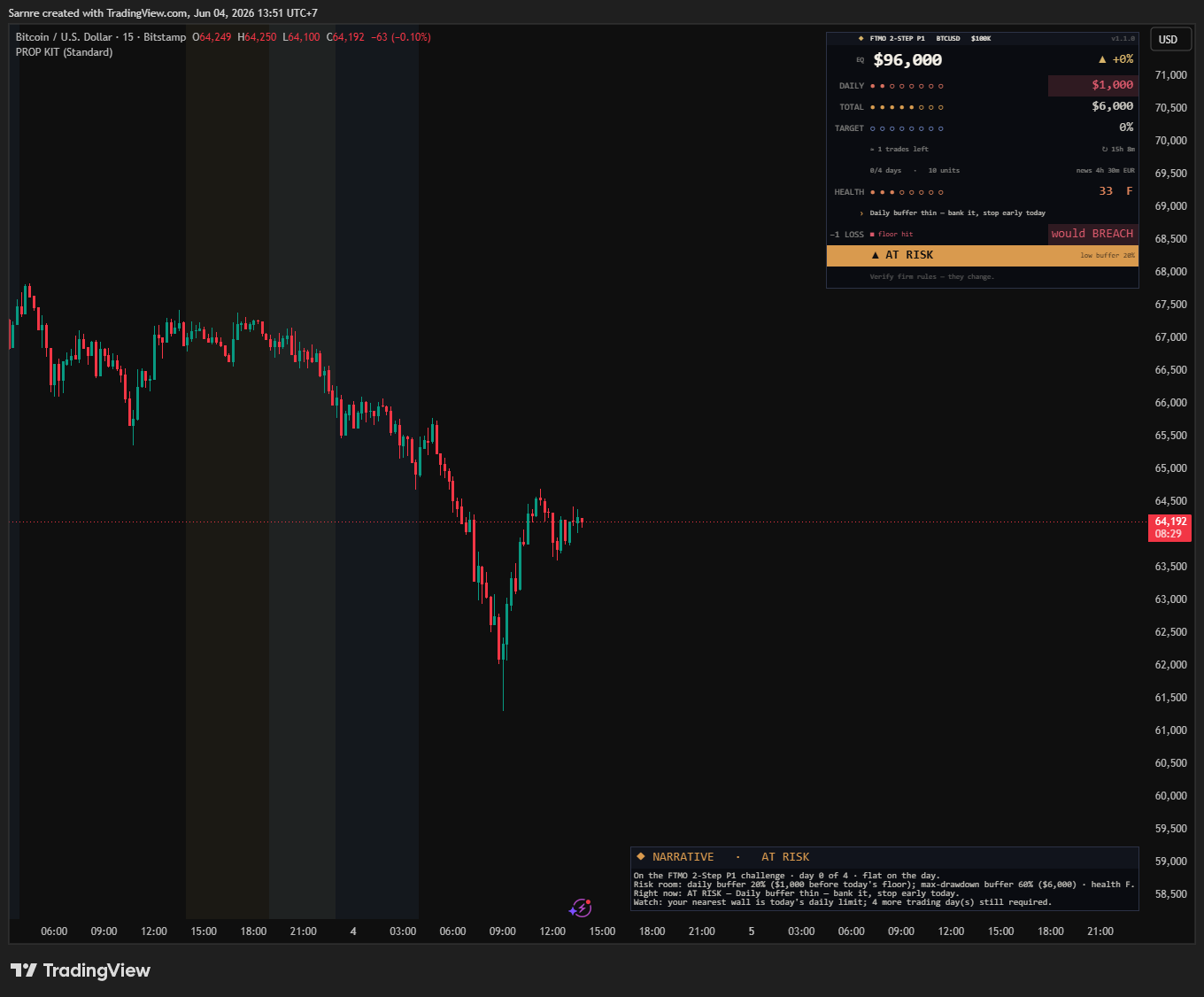
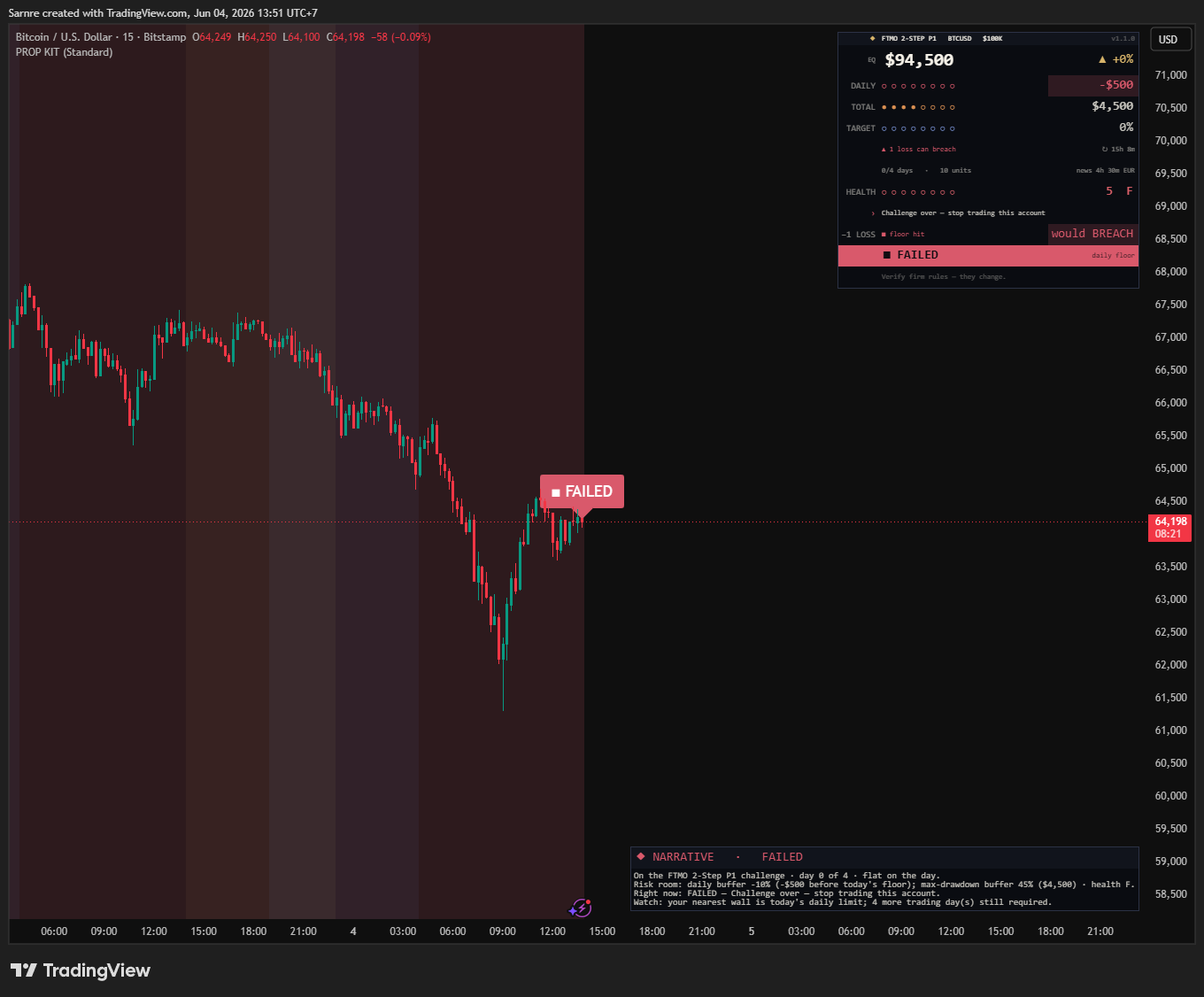
The Narrative panel speaks your risk state in five honest beats — where you stand, your room, the call, what to watch, and what one more loss would do. It quotes the dashboard's own numbers, so the words and the figures always agree. Display only — never a trade signal.

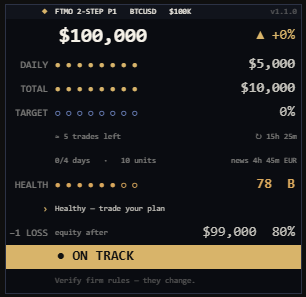
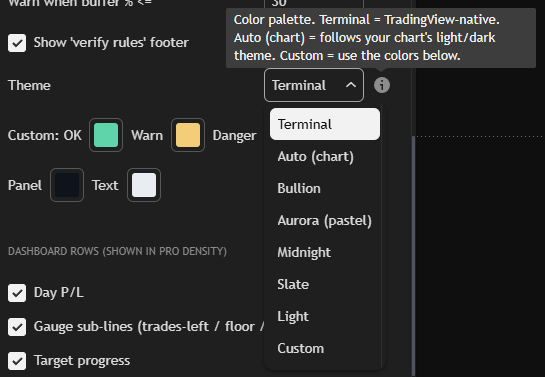
A clean visual hierarchy: your equity up top, daily and max-drawdown buffers as dollar gauges, target progress, a 0–100 health score and a coaching line — all on the premium Bullion theme. Eight themes, three densities and five gauge styles inside.
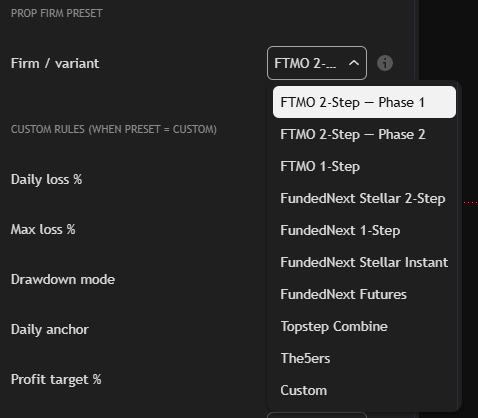
Pick your firm and it loads the rules automatically — FTMO (2-Step P1/P2, 1-Step), FundedNext (Stellar 2-Step, 1-Step, Instant, Futures), Topstep Combine, The5ers — or fully Custom. Every volatile value carries a “verify before you rely on it” note, because firm rules change.
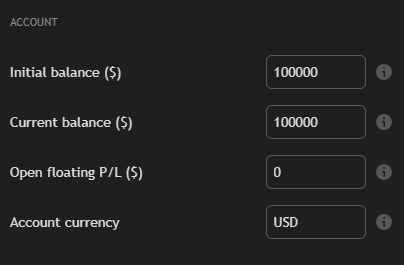
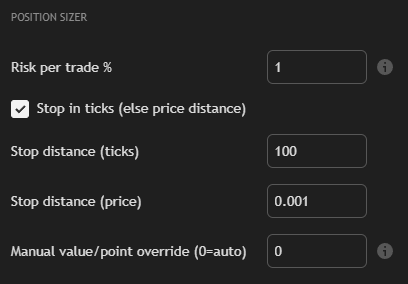
Type your initial balance, current balance, floating P/L and currency — that's the whole setup (it can't read your broker, an honest Pine limit, so you type the numbers it does the math on and update them as you trade). A built-in position sizer turns your risk % and stop into a size, across futures / forex / stocks / crypto.
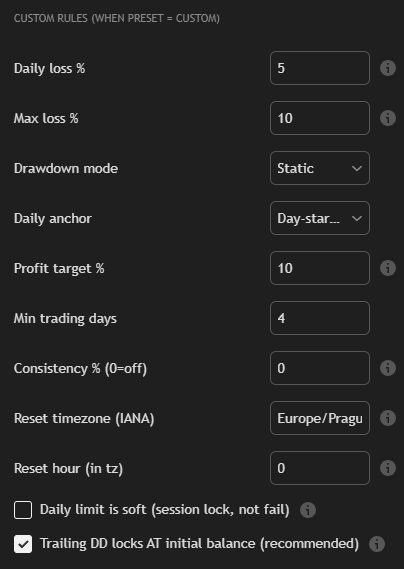
If your firm isn't a preset, build it: daily-loss %, max-loss %, drawdown model (static / trailing-EOD / intraday), daily anchor, profit target, min trading days, consistency %, reset timezone and hour, soft-limit toggle. Two of those don't work yet in v1.4.0: it only knows the balance you type now, so it never counts a trading day (Min trading days above 0 keeps it from ever showing PASSED; at 0, PASSED means only that the target is reached) and never sees a best day (the consistency row reads 0%). Check both on your firm's dashboard.
Not a rented black box — the full Pine v6 source with unit-tested rule math, plus an AI kit, yours to extend.
Drop the kit into any AI and these are day-one edits — the rule models and the dollar math are documented and tested.
Exactly what it is and isn't, what you need to run it, instant delivery and a 7-day net.
Most “guardian” tools blur this line on purpose. We lay it out — exactly what each part is, and what it isn't, so you trust it for what it honestly does.
| The part | What it really is | The honest caveat |
|---|---|---|
| The dollar buffers | your firm's rules computed over the numbers you type | a transparent rule calc — not a read of your broker's ledger; the day's start and the trailing high are the balance you type, not your account's history |
| The verdict | ON TRACK / AT RISK / FAILED from your buffers | a visual warning, not a broker block — it can't close or stop a trade |
| Days traded & consistency | a days row and a best-day row | v1.4.0 can't fill them: Days traded stays 0, so with Min trading days above 0 it never shows PASSED, and the best day stays 0, so consistency reads 0% — check both on your firm's dashboard |
| The news window | a list of high-impact events written into the source | v1.4.0's list covers June 2026 only, so it flags nothing later until you add events — not a live feed; verify the calendar yourself |
| Firm presets | FTMO / FundedNext / Topstep / The5ers rule-sets | conveniences to confirm against each firm's official rules — rules change |
| The rule math | static / trailing-EOD / trailing-intraday / FTMO higher-of | unit-tested in its Python reference (tests/prop_math_test.py) and auditable in the source |
Paste the source into TradingView's Pine Editor, save it and add it to your chart. Basic supports the on-chart monitor within its limits. Its visual warnings are separate from TradingView's running technical alerts. An alert runs on the inputs you'd typed when you created it, so in v1.4.0 its 80%, breach and target alerts can't see your later trades, and its news alert knows only June 2026's events.
| You want to… | TradingView plan |
|---|---|
| See the firm rules you configure in dollars, with the verdict & narrative | Basic or paid — leave an indicator slot available |
| Use all 9 presets, 8 themes, the position sizer & custom rules | Basic or paid |
| Run indicator alerts with pop-up, app or email delivery | A paid plan with technical-alert capacity |
| Webhook alerts (plain-text messages: 80% of daily, breach, target, news incoming) | A paid plan with technical-alert capacity, plus TradingView two-factor authentication |
No waiting on a human, no “invite pending.” Checkout is instant, and the refund rule is written plainly so there's no surprise after.
We're a new release, so instead of a wall of five-star quotes you can't verify, here's what you can confirm before you pay a cent:
When real buyers leave reviews, they'll appear here with a handle and a date — never invented, and never before they exist.
Add it up. The challenge isn't won by a signal — it's lost by a rule breach. This toolkit turns your firm's rulebook and the balance you type into dollar buffers, reads your risk back in plain English and tells you to stop when those buffers run thin — and hands you the full source, its unit-tested Python reference and the AI kit to extend it. One price. Yours forever, every update free.
The things you actually worry about — answered straight, no spin.
It computes risk from the rules and numbers you enter — it does not place trades, guarantee compliance, or read your broker's ledger. In v1.4.0 it can't count trading days or find a best day (the consistency row reads 0%), and its news list covers June 2026 only. Always confirm against your firm's official dashboard; the firm's rules are the source of truth.
Read the assumptions, try a related tool and inspect what has been measured.
Separate daily-loss resets, drawdown floors and payout conditions.
Calculate under the stated model; compare it with your account's actual rule.
Check a best day's share of profit and the assumptions behind the remaining amount.
The full source, the AI-agent kit and free updates for life — yours the moment you pay.
Early-access launch price · full refund within 7 days · own the source forever
The deep version, as a PDF
The Prop Firm Payout Playbook
Every rule between a funded account and its first payout, for 16 firms, and a plan for staying inside them.
One payment, instant download. Refund within 7 days if you haven't downloaded it.
Or get both: Toolkit + Playbook, $39 (separately $48)
The Prop Firm Challenge Toolkit (Pine indicator) and The Prop Firm Payout Playbook (PDF guide) in one ZIP, one payment. Refund within 7 days if you haven't downloaded it.
The entire ProEA Lab Pine line in one pack — five indicators and six skills & kits, every Pine v6 source and every AI-extend kit. Build a system, validate it, render it, risk-gate it, then audit it — honestly, end to end.
Educational decision-support tools — not financial advice, not a signal service. No win-rate, profit, or accuracy is claimed or implied. Entry / SL / TP levels and zone scores are reference values derived from market geometry, not predictions. SMC concepts are public methodologies, implemented originally. Trading involves risk; forward-test on a demo and manage your own risk. © 2026 ProEA Lab.
FTMO, FundedNext, Topstep, The5ers and other third-party names are trademarks of their respective owners. None of them endorses or sponsors ProEA Lab. ProEA is in FTMO's and The5ers's affiliate programmes (Terms, sections 9e and 9n) and holds a Topstep referral code that earns it a discount on its own Topstep purchases (Terms, section 9m); no other firm named here pays us.