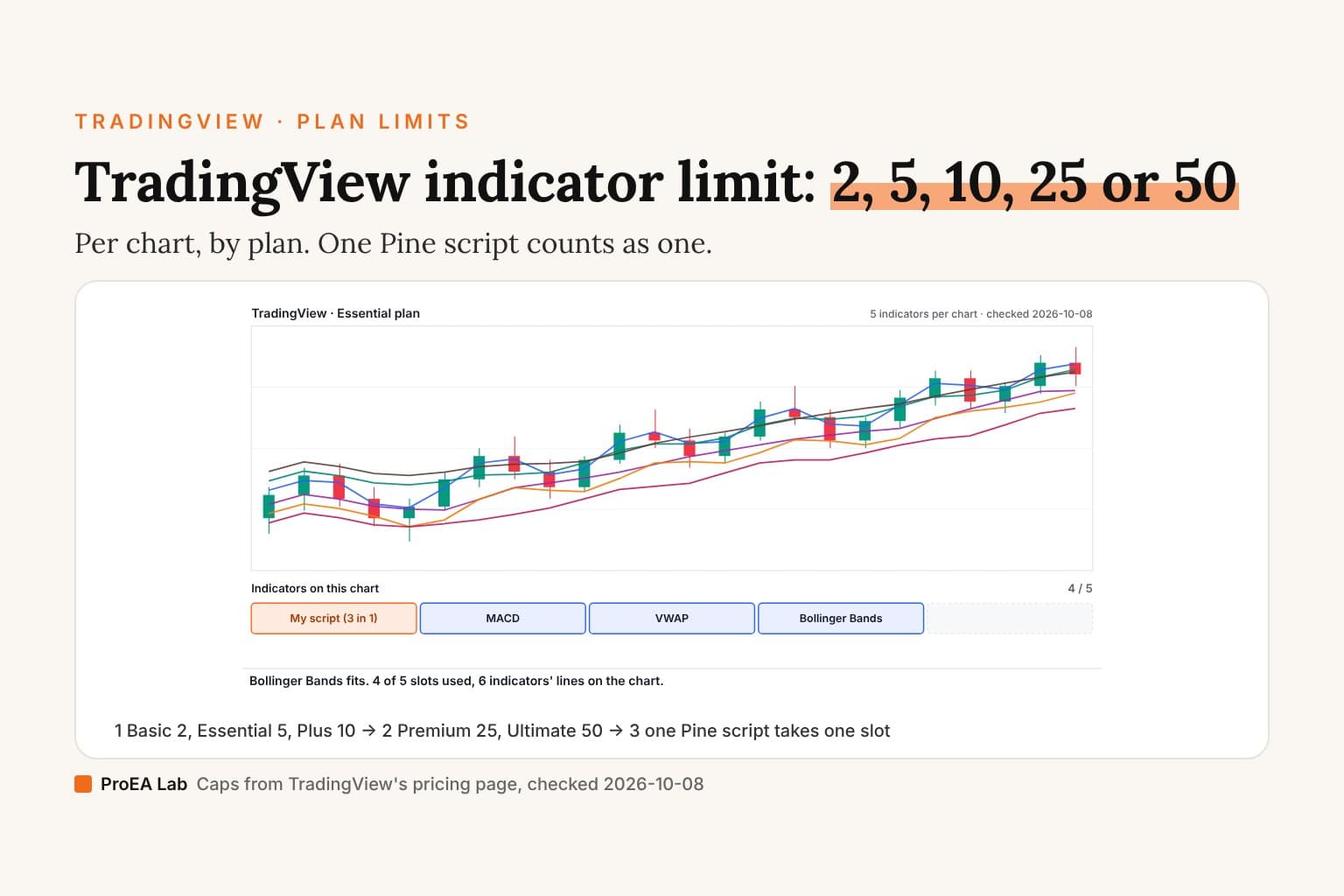
A sketch, not market data: the candles and lines are drawn to show the slots. Caps from TradingView's pricing page, checked 2026-10-08; TradingView can change them.
Read as text
- Essential: 5 indicators per chart on TradingView's pricing page, checked 2026-10-08.
- 5 of 5 slots used: the chart is full.
- Indicator 6, Bollinger Bands: no slot left on Essential.
- EMA 20, EMA 50 and RSI rewritten as one Pine script: 1 slot instead of 3.
- Bollinger Bands fits. 4 of 5 slots used, 6 indicators' lines on the chart.
How this window was chosen: Each plan's cap is the "indicators per chart" row of TradingView's pricing page, read 2026-10-08. The merge rewrites the first 3 indicators as one script; a script can draw up to 64 plots (Pine Script docs, Limitations).
The limits, plan by plan
All from TradingView's pricing page, checked 2026-10-08. Prices are per month, billed annually.
| Plan | Indicators per chart | Indicators on indicators | Charts per tab | Price |
|---|---|---|---|---|
| Basic | 2 | 1 | 1 | $0 |
| Essential | 5 | 1 | 2 | $12.95 |
| Plus | 10 | 9 | 4 | $29.95 |
| Premium | 25 | 24 | 8 | $59.95 |
| Ultimate | 50 | 49 | 16 | $199.95 |
The cap is per chart, not per account. On a plan with several charts in a tab, each chart gets its own slots.
What counts toward the cap?
Every study you add from the Indicators dialog takes a slot: built-in ones, community scripts and your own. An "indicator on indicator" (say a moving average of RSI) has its own, smaller cap in the table above.
The pricing page doesn't say whether a strategy or the default Volume study is counted. If the chart refuses one more, remove one and add again: whatever frees the slot was counted.
Use itBefore you pay for a bigger plan, count what's on the chart and ask which of those you read every day.
Watch outTwo moving averages and a VWAP are three slots. In one script they are one.
How to fit more indicators on one chart
Put them in one Pine script. The chart counts scripts, not lines: one script with three moving averages is one slot. Pine allows up to 64 plots in a script (Pine Script docs, Limitations, checked 2026-10-08).
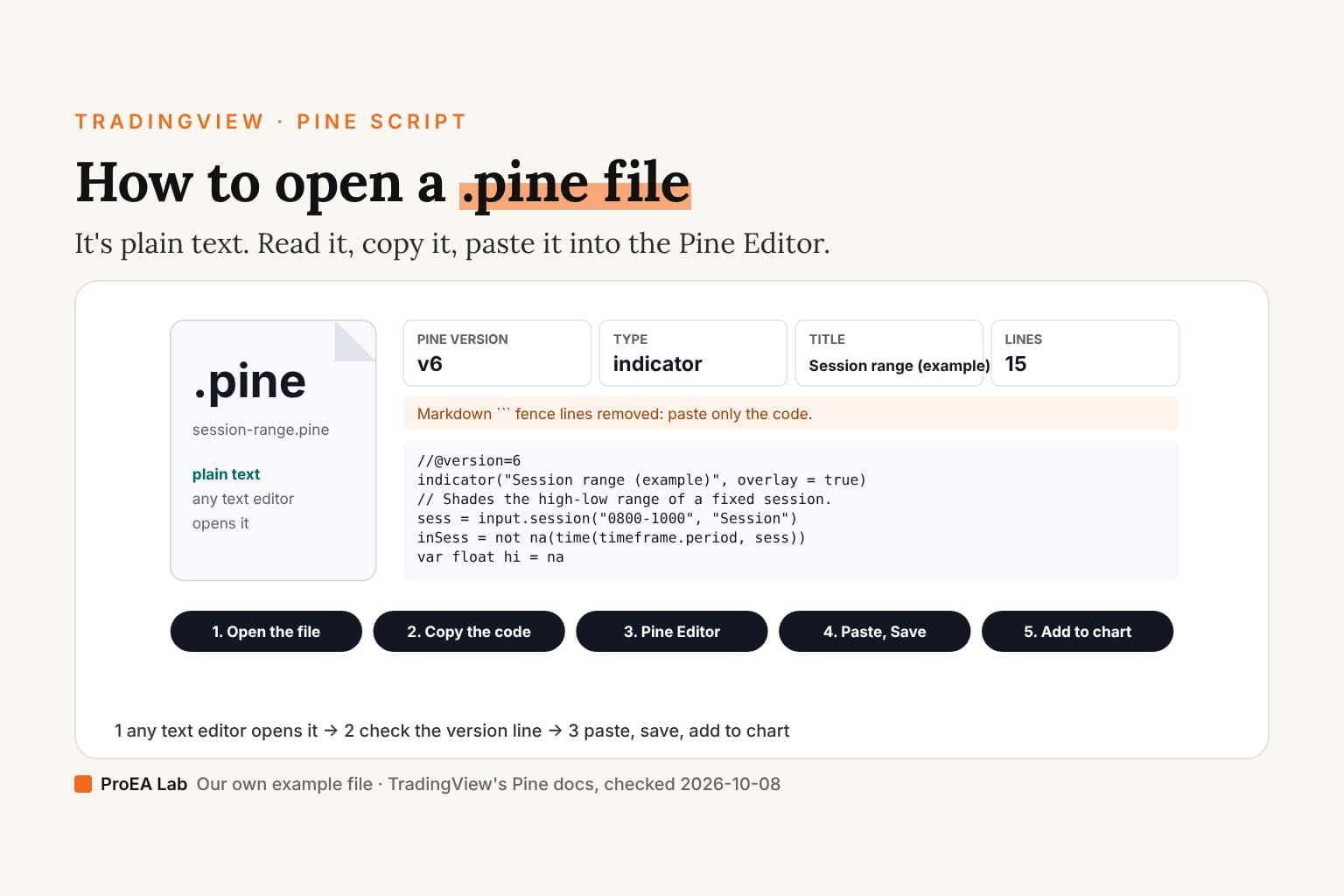
//@version=6
indicator("My overlay: EMA 20, EMA 50, VWAP", overlay = true)
plot(ta.ema(close, 20), "EMA 20", color.blue)
plot(ta.ema(close, 50), "EMA 50", color.purple)
plot(ta.vwap(hlc3), "VWAP", color.orange)
Paste it into the Pine Editor, save, and add it to the chart (how to add a Pine script). Three lines, one slot.
Two limits to know. A script is drawn either on the price chart or in its own pane, so overlays (moving averages, VWAP) and oscillators (RSI, MACD) usually go in separate scripts. And copying someone else's code into yours is a licence question: open-source scripts on TradingView carry their author's terms, and protected or invite-only ones can't be copied at all.
Pay for slots you'll use every day. Merge the ones you only glance at.Where we stand
We sell Pine indicators, so a smaller cap is one reason a trader might buy ours over stacking free ones. Our Pine v6 stack ships each tool as one readable script; the caps above apply to it the same way.
Use this animation on your site.
Frequently asked questions
How many indicators can you use on TradingView for free?
Two per chart on the free Basic plan, per TradingView's pricing page on 2026-10-08. Basic also allows one chart per tab and one indicator on another indicator.
How many indicators per chart does each TradingView plan allow?
Basic 2, Essential 5, Plus 10, Premium 25 and Ultimate 50, from the pricing page's indicators-per-chart row on 2026-10-08. TradingView can change these; the pricing page is the source.
How do I add more indicators than my TradingView plan allows?
Combine them in one Pine script. One script takes one slot on the chart however many lines it draws, up to 64 plots per script. Check the licence before you copy someone else's code into yours.
Does a strategy count toward the indicator limit?
TradingView's pricing page doesn't say. If the chart refuses one more, remove one study and try again: whatever frees the slot was counted.
What is an indicator on indicator?
An indicator whose source is another indicator's output, such as a moving average of RSI. The pricing page caps these separately: 1 on Basic and Essential, 9 on Plus, 24 on Premium, 49 on Ultimate.