Search "buy TradingView indicators" and inspect what comes back. You land among Patreon shops and "lifetime bundle" stores, much of it sold by subscription. Listings abound; straight explanations of the purchase do not.
Every paid TradingView indicator reaches your chart through one of a few access models. The model matters more than the pitch because it decides whether you can inspect the code and keep the tool after the bill stops.
TradingView defines three of those models in one sentence apiece on its help pages. The fourth sits off-platform.
We sell that fourth model. Keep our bias in view: the definitions below are quotes, not our gloss.
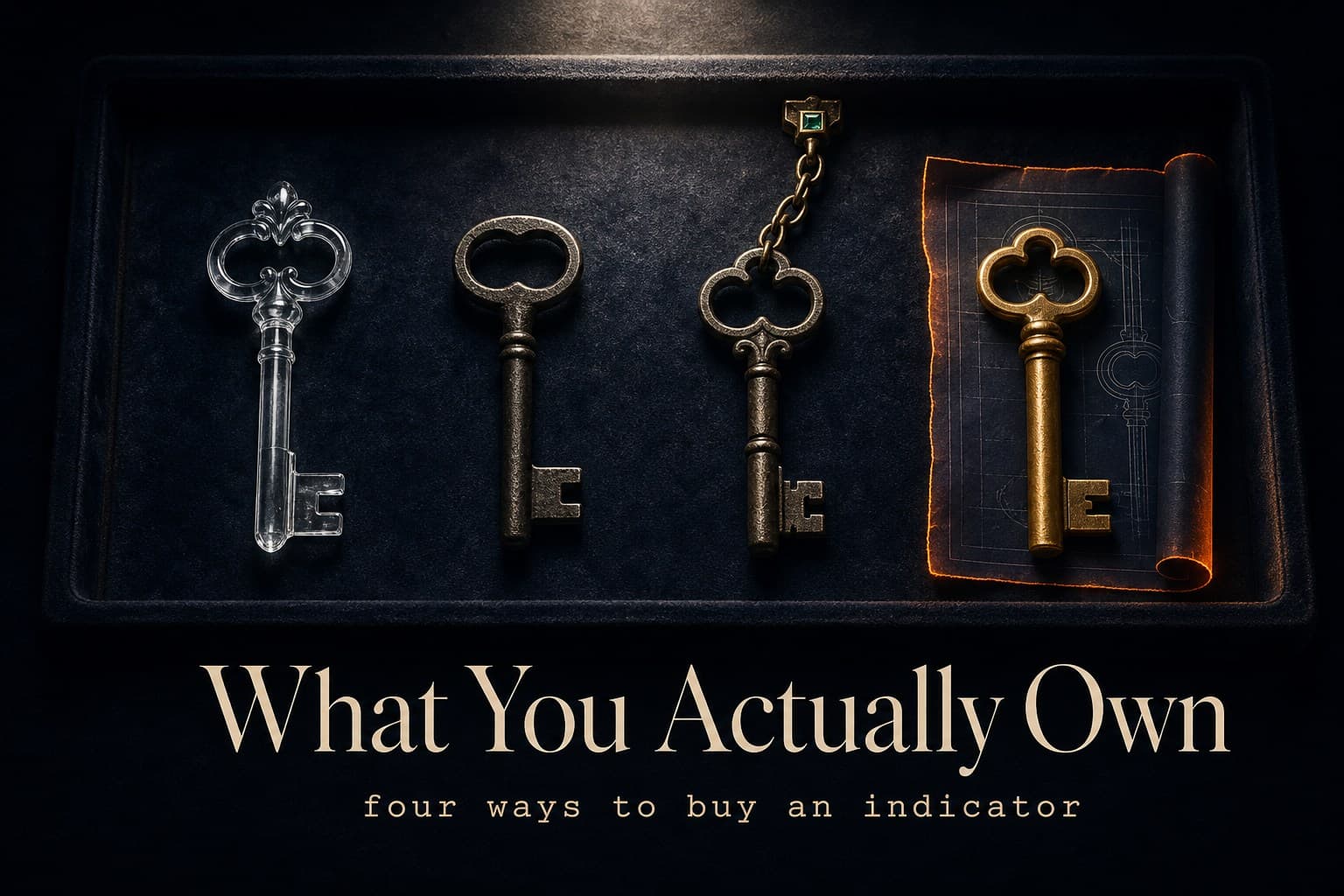
The four ways an indicator reaches your chart
TradingView gives each published-script type one line. These are its words:
Open: "Every user is able to see a source code of your script, apply it to the chart & add it to favorites."
Protected: "Every user can add this script to the chart or favorites, but only the author can see the source code."
Invite-only: "Nobody can add it to a chart without explicit permission from the author and only the author can see the source code."
Watch what disappears as access tightens. Open lets you see and run everything. Protected runs for everyone while keeping its source from users.
Invite-only withholds both the code and automatic access; the author must let you in. That is why it is the standard wrapper for paid subscription indicators.
The fourth model is absent from that help page because the handoff happens off-platform. The vendor gives you the Pine source, and you paste it into your editor. No access list remains to revoke.
We use that model for our stack. That is the bias in this article, stated plainly.
What does "invite-only" actually mean when you pay?
On the mechanics, invite-only is painless. The author adds your TradingView username to an access list, and the script appears in your invite-only folder ready to run.
Underneath that convenience, you are renting permission. By definition, the code stays sealed: "only the author can see the source code" is TradingView's wording, not ours. A promise such as "non-repainting" therefore rests on the vendor's word.
Permission follows payment. Our published worked example is LuxAlgo, probably the biggest name in this model. Its FAQ says that when you cancel, "You keep access until the end of the period you've paid for"; when that time ends, the folder empties.
Their Terms say renewals "are billed at the then-current standard rate for your plan," and their refund section adds: "Charges for renewal periods are not eligible for refunds." Paid tiers ran $24.99 to $119.99 a month when we checked on 3 October 2026. None of this is hidden or unusual; it is simply the model at work. The same model sits under ChartPrime and Zeiierman: both describe invite-only delivery on their own pages, and we compare each with its published prices.
Invite-only is a rental of convenience. The single sentence that defines it also defines what you can never do with it: read the thing you're paying for.
When free open-source is all you need
Start with the strong baseline: free open-source. TradingView's community library contains thousands of open scripts. Under its definition, the code is visible before you add a script to your chart.
LuxAlgo's free open-source library alone is enormous. We said so in our review of them, and it remains true. If you're new to Pine or your edge does not require one closed tool, exhaust the platform's free tier before paying anyone, us included.
The tradeoff is selection, not quality. Thousands of scripts arrive without curation or support. Nobody is accountable for whether one repaints.
The code is available. The audit is yours.
What source-in-hand changes
When the source ships to you, control moves from the vendor's account to your editor.
Verification becomes possible. A "commits on bar close" claim becomes a line you can inspect, directly or with help. We've been auditing our own indicators in public because shipped source makes the audit reproducible.
Cancellation stops existing. One $46 payment for the bundle, as of July 2026, puts all eleven tools in your editor, including the SMC toolkit and MTF matrix. They remain yours in three years regardless of what happens to us.
The operator is you. Pasting into the editor takes ten minutes, while updates arrive as new source instead of silently. There is no one-click folder.
The stack includes an AI-agent kit, so Claude or GPT can extend the tools for you. Invite-only's zero-friction convenience is not part of this deal. You take some friction in exchange for permanence.

The comparison, in one table
| See the code? | Runs without author's permission? | Keep it if payments stop? | Typical price shape | |
|---|---|---|---|---|
| Open-source | Yes | Yes | Free — nothing to stop | Free |
| Protected | No | Yes | Usually free to use | Free or freemium |
| Invite-only | No | No | No — access list | Subscription ($39.99–$119.99/mo at the model's biggest name) |
| Source-in-hand | Yes | Yes — it's in your editor | Yes | One-time (our bundle: $46) |
The price shape follows the access model. A vendor that keeps the code can charge monthly forever. Once the vendor hands it over, that lever is gone.
Which model fits which trader?
Stay free and open-source if you're learning Pine or still deciding whether indicators belong in your process. It is also the right choice if you refuse to pay before you understand the code. That describes most traders.
Rent invite-only if you want a large suite with a big community, plus the zero-setup updates you are paying for. Read the renewal and cancellation clauses first. The convenience is real; price it as rent, not a purchase.
Buy source-in-hand if you expect to trade one stack for years and want to verify claims rather than trust them. Ten minutes of setup buys independence from an access list. This is our model, so discount the recommendation accordingly; the table is the case.
Mix them. Use the free library to explore, then keep one owned stack at the core. The models are not rivals; they are layers.
Read the access line before the price line
Every indicator sales page shows a price. The access line may be tucked into the FAQ or Terms; sometimes it is only implied. It answers two questions: what happens when payments stop, and who can read the code.
Read that line first. It identifies the model, and the model tells you what the price buys.
You're never just buying an indicator. You're buying one of four relationships with it — and only one of them survives the vendor.