action and sentiment, and validate broker-specific bracket limits before attaching a live account.
Links to TradersPost on this page are affiliate links, and PROEA is our affiliate code (20% off every payment for life per TradersPost's affiliate page and ticket #154935211). All payload rules and rejection codes below come from TradersPost's Signal Message Reference and broker docs read through 21 November 2026.
Core TradersPost webhook JSON schema (strategy template)
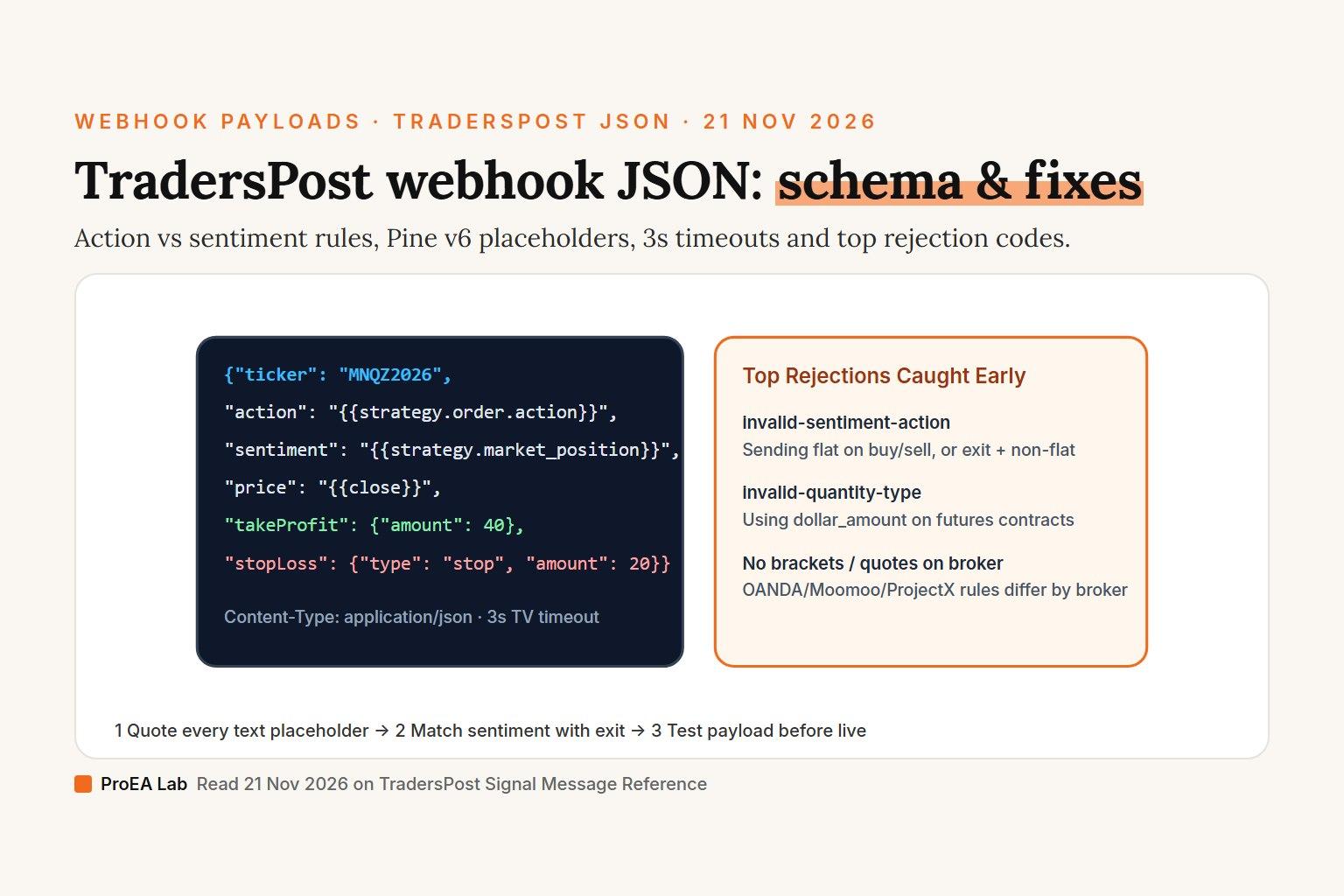
Use TradingView strategy alerts with valid double-quoted JSON so TradingView transmits Content-Type: application/json rather than text/plain:
{
  "ticker": "MNQZ2026",
  "action": "{{strategy.order.action}}",
  "sentiment": "{{strategy.market_position}}",
  "quantityType": "fixed_quantity",
  "quantity": "{{strategy.order.contracts}}",
  "orderType": "market",
  "price": "{{close}}",
  "takeProfit": { "amount": 40 },
  "stopLoss": { "type": "stop", "amount": 20 },
  "extras": { "source": "tradingview-strategy" }
}
Test and customize every field live in our TradersPost webhook JSON builder — it runs TradersPost's own schema checks and your chosen broker's order restrictions side by side in your browser.
| JSON key | Role in TradersPost | Common mistake |
|---|---|---|
ticker | Symbol sent to broker (SPY, MNQZ2026, EUR/USD) | Sending blank string triggers empty-ticker-name; check roll timing on 1! futures |
action | buy, sell, exit, add, resize or cancel | Using non-TradersPost verbs like long causes invalid-action |
sentiment | Optional state check (long, short, flat) | Mismatching with exit triggers invalid-sentiment-action |
quantityType | fixed_quantity, dollar_amount, risk_percent, risk_dollar_amount | Sending dollar_amount on futures triggers invalid-quantity-type-for-asset-class |
orderType | market, limit, stop, stop_limit, trailing_stop | Writing stop_market triggers invalid-order-type |
price | Bar price ({{close}}) or limit price | Omitting on Tradovate/NinjaTrader breaks relative takeProfit / stopLoss offsets |
takeProfit / stopLoss | Nested bracket objects (amount, percent, limitPrice, stopPrice) | Combining relative & absolute keys triggers invalid-take-profit-relative-and-absolute |
extras | Arbitrary JSON key-value metadata logged in TradersPost | Placing =formula expressions inside extras triggers invalid-formula-nested |
Most common TradersPost webhook rejection codes and fixes
invalid-sentiment-action: Returned whenactionconflicts withsentiment— most often"action": "exit"sent alongside"sentiment": "flat". For TradingView strategies that callstrategy.close(), letstrategy.order.actionhandlebuy/sellor verify{{strategy.market_position}}matches the intent.empty-ticker-name& continuous futures symbols: A blanktickerfield fails immediately. On futures (Tradovate,NinjaTrader,ProjectX), TradingView continuous symbols likeES1!are mapped by TradersPost's own rollover table, so explicit contracts (MNQZ2026) avoid roll-week drift.invalid-quantity-type-for-asset-class: Futures connections reject share/dollar sizing such asdollar_amountorpercent_of_equity. Usefixed_quantityor risk-based contract sizing.- Formulas & batch limits: TradersPost supports
=signal.price + 1expressions on top-level fields (exceptticker,action,test,cancel), up to payload budget limits, and batches of up to 5 orders per JSON array (too-many-payload-itemsabove 5).
Broker-specific JSON rules across the 20 connections
A valid TradersPost JSON object can still be rejected or stripped of exit legs depending on your destination broker:
- Tradovate & NinjaTrader (
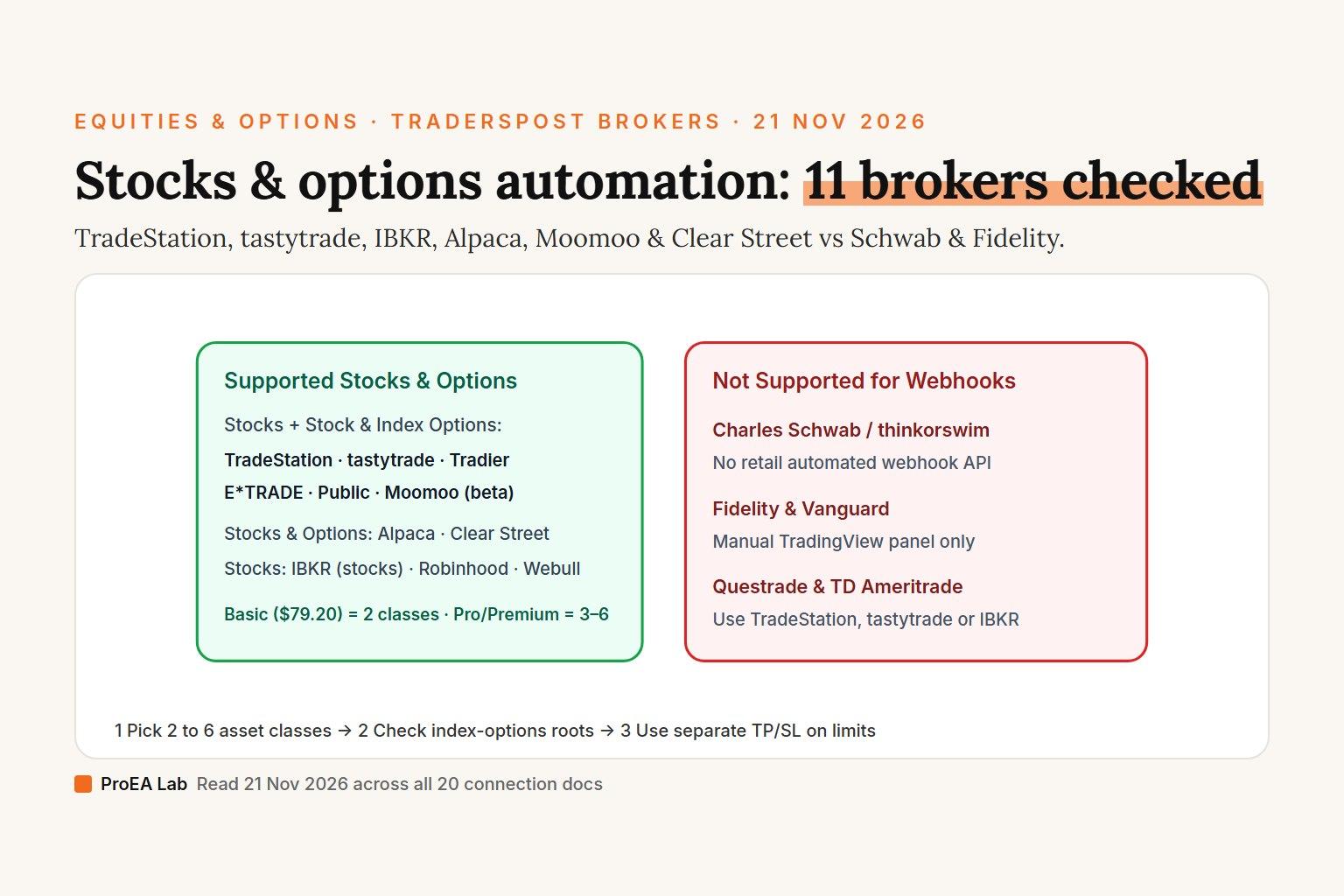
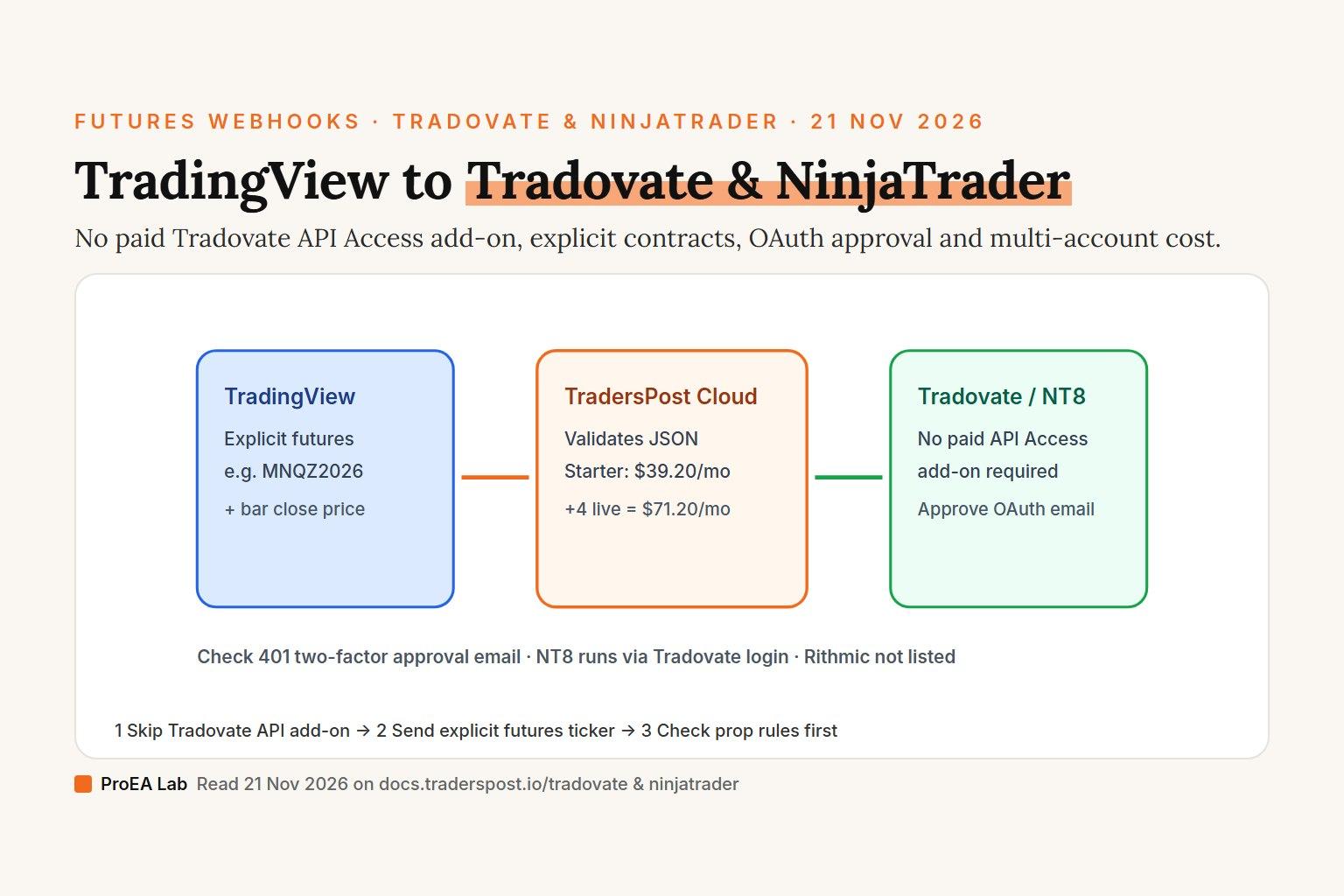
noQuotes): Cannot query live quotes for relative exits on market orders, so include"price": "{{close}}". Percent trailing stops (trailPercent) convert into fixed dollar trails — see our Tradovate and NinjaTrader setup guide. - No bracket orders on entry: ProjectX, E*TRADE, Public.com (beta), Moomoo (beta), Clear Street (beta), Coinbase, Kraken, Bybit, Binance.com and Crypto.com (beta) do not accept bracket legs attached to an entry; Alpaca rejects brackets on options and crypto (
"Complex orders not supported"). Send separate exit alerts instead. - OANDA (beta forex): Format pairs with a slash (
EUR/USD) and size in base-currency units (10000) rather than FX lots — detailed in TradersPost forex and crypto automation. - Robinhood: No take profit or stop loss can be attached to the entry, so send each exit as its own signal; short entries are stocks-only, whole shares,
marketorlimitwithDaytime-in-force and no attached stops — see all 11 equity brokers in our TradingView to stocks and options guide.
Check all 20 broker restrictions interactively on our TradersPost supported brokers page. Before routing ProjectX (TopstepX) webhooks, read Topstep's own remote-server rule:
Testing safely before live capital (TradingView + 7-day trial)
Turn on 2FA in TradingView (required for webhooks on Essential, Plus, Premium and Ultimate plans — see our TradingView webhook guide), point your first alert at TradersPost's paper accounts during the 7-day free trial (automated paper execution, manual live approvals), and confirm every fill in the TradersPost dashboard log. When ready for a paid plan, review full tiers in TradersPost pricing and plans, run your counts in our TradersPost cost calculator, browse related guides in our TradingView automation hub, and enter PROEA under "Have a coupon?" on TradersPost for 20% off every payment for life.
Frequently asked questions
What is the minimum valid TradersPost webhook JSON payload?
Every signal needs double-quoted JSON containing at least ticker and action (such as buy, sell, exit or cancel). Adding price (for quote-limited brokers like Tradovate), sentiment and stop/target objects completes bracket execution.
What causes TradersPost invalid-sentiment-action errors?
TradersPost throws invalid-sentiment-action when the action disagrees with the sentiment field — for example sending action exit while sentiment is already flat, or sending mismatched sentiment state from TradingView's {{strategy.market_position}} placeholder.
What causes empty-ticker-name and invalid-quantity-type-for-asset-class?
Sending a blank ticker string triggers empty-ticker-name, while sending dollar_amount or percent_of_equity on futures contracts triggers invalid-quantity-type-for-asset-class because futures require contract quantities rather than fractional dollar sizing.
Which TradingView placeholders work best with TradersPost strategy alerts?
Strategy alerts use {{ticker}}, {{strategy.order.action}}, {{strategy.market_position}}, {{strategy.order.contracts}} and {{close}}. Always wrap string placeholders in double quotes so TradingView sends application/json instead of text/plain.
Why are TradersPost bracket orders ignored on some brokers?
TradersPost connection limits govern exit legs: ProjectX, Public.com, E*TRADE, Moomoo (beta), Clear Street (beta) and crypto exchanges take no takeProfit or stopLoss bracket with the entry, while Tradovate requires a price key for relative exits.