PDF guide · ProEA Lab
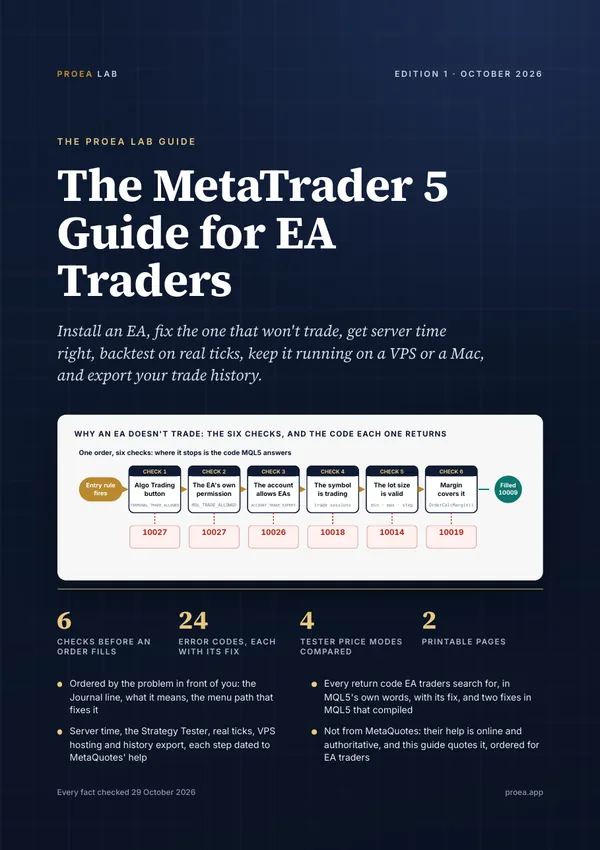
The MetaTrader 5 Guide for EA Traders
ProEA's MetaTrader 5 Guide for EA Traders: a 38-page PDF guide, $19 once. Facts checked 23 November 2026.
Install an EA, fix the one that won't trade, get server time right, backtest on real ticks, keep it running on a VPS or a Mac, and export your trade history.
Every step dated to MetaQuotes' help or our dated posts, every return code in MQL5's reference wording, and every code block compiled in MetaEditor with 0 errors and 0 warnings.
38 pages · A4 PDF · edition 1.0.1
One payment, no subscription. Instant download. Refund within 7 days if you haven't downloaded it.
What's inside
- Ordered by the problem in front of you: the Journal line, what it means, and the menu path that fixes it
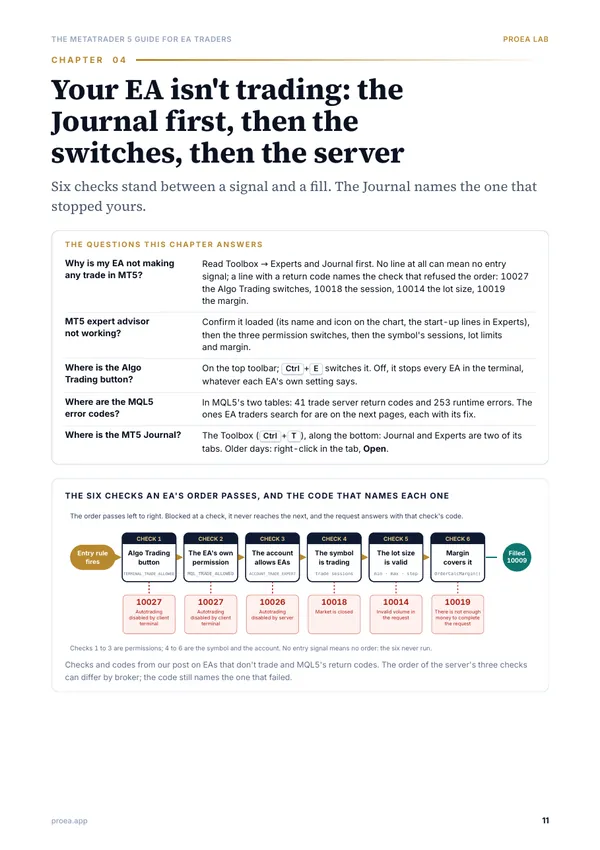
- The six checks between an EA's signal and a fill, and the return code each one sends back
- 24 MT5 error codes in MQL5's own words, each with its fix, and two of the fixes in MQL5 that compiled in MetaEditor
- Server time: find your broker's offset, convert it in one line, and the two stretches a year, three or four weeks in all, when the gap to New York changes
- The Strategy Tester top to bottom, and why every tick and real ticks give one EA two results
- MetaQuotes' VPS, a Windows VPS or a Mac; trade history and chart data exported terminal by terminal; Pine Script to MQL5
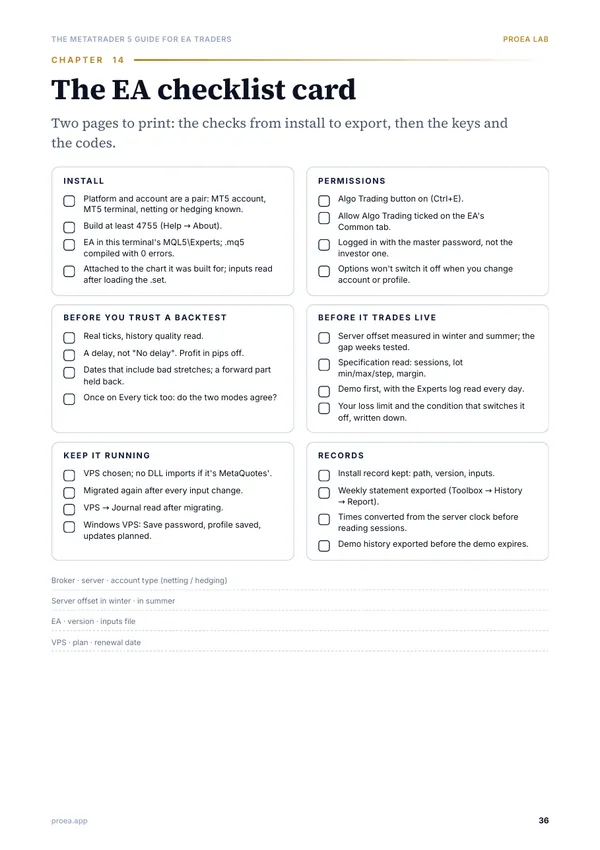
- A two-page checklist card: install to export, then the keys and the codes
Contents
- 01MT5 or MT4; desktop, web, phone or Mac: what each can doTwo terminals, four places to run them, and the question that decides most of it: where can your EA run?
- 02Install MT5 and log in, and the "invalid account" fixesThe installer, the login window, and the six messages that stop a login, with their fixes in order.
- 03Install an EA or indicator: EX5, MQ5 and the data folderWhich file you have, which folder it goes in, how to compile it, and five steps from download to chart.
- 04Your EA isn't trading: the Journal first, then the switches, then the serverSix checks stand between a signal and a fill. The Journal names the one that stopped yours.
- 05Server time: what time MT5 uses and how to convert itEvery time MT5 shows is the broker's clock: find its offset, convert in one line, mind two stretches a year.
- 06Templates and profiles: set up the chart onceA template is a saved chart, EA included: where MT5 keeps them, and why their indicators go missing.
- 07Backtest an EA in the Strategy TesterEvery setting, top to bottom, with what MetaQuotes says it does. Ask the tester a hard question.
- 08Every tick or real ticks: why one EA gets two resultsRecorded ticks, generated ticks or four prices: when a stop and a target share a minute, the modes disagree.
- 09Keep an EA running: MetaQuotes' VPS, a Windows VPS, or a MacThree ways to keep the terminal open, connected and holding its chart: what MetaQuotes charges, and what stops each.
- 10Find your trade history on desktop, web and phoneWhere each terminal keeps your closed trades, how to see all of them, and why the list looks empty.
- 11Export your history: HTML, Excel, PDF and CSVEvery route to a file, terminal by terminal, and the checks to run before a journal reads it.
- 12Export chart data: bars and ticks to CSVTwo routes to a price-history file, what caps the bar count, and how to read each tick's flags.
- 13From TradingView to MT5: Pine Script to MQL5The call map, the three bugs that survive a careful port, and how to check yours bar by bar.
- 14The EA checklist cardTwo pages to print: the checks from install to export, then the keys and the codes.
A look at the pages
Who it's for
Get it if
- You run an EA on MT5, or want to, and the terminal's help doesn't tell you why yours isn't trading
- You've hit "invalid account", a return code, a wrong server time or an empty history tab, and want the fix in order
- You want one file you can keep open on the VPS, with a checklist you can print
Skip it if
- You want an EA that makes money, or a list of the best ones: this guide sells neither and claims nothing about any EA
- You need MetaQuotes' complete reference: their help is online and authoritative, and this guide quotes it rather than replacing it
Answers
Is this MetaQuotes' user guide?
No. MetaQuotes' help is online and remains the authority on its terminal; this guide quotes it, dated, and orders it by the problem an EA trader has. It isn't from MetaQuotes and they don't endorse it.
Will it make my EA profitable?
No. It gets an EA installed, trading, tested and kept running, and it says what each tester setting assumes. Whether an EA's rules make money is a separate question, and this guide makes no claim about any EA.
Does it cover MT4?
Where it helps an MT5 user: what each terminal can do, and MT4's error numbers next to MT5's. The steps and menus are MT5's.
What do I get, and how?
One PDF, 38 pages, A4, readable on a phone, a tablet or paper. After payment the download is on the confirmation page and stays in your account, so you can download it again anytime.
Can I get a refund?
Yes, within 7 days if you haven't downloaded the PDF yet. Downloading it ends the refund, since the guide is then yours. A broken or incomplete file is refunded at any time.
Is it included in All-Access?
Yes. All-Access Monthly and Academy Premium members get every paid guide in their downloads, at no extra cost, from the day it opens.
Will it be updated?
When a fact in it changes (a price, a plan, a script), we correct it in a new edition. Your account always serves the latest edition, at no charge.
The MetaTrader 5 Guide for EA Traders
Install an EA, fix the one that won't trade, get server time right, backtest on real ticks, keep it running on a VPS or a Mac, and export your trade history.
One payment, no subscription. Instant download. Refund within 7 days if you haven't downloaded it.
Education, not financial advice. Trading carries a risk of loss; past results, ours included, don't predict future ones. No creator, vendor or firm the guide names wrote or endorses it. ProEA takes part in some companies' partner programmes, TradingView's among them (Terms, section 9c); that changes nothing the guide says.