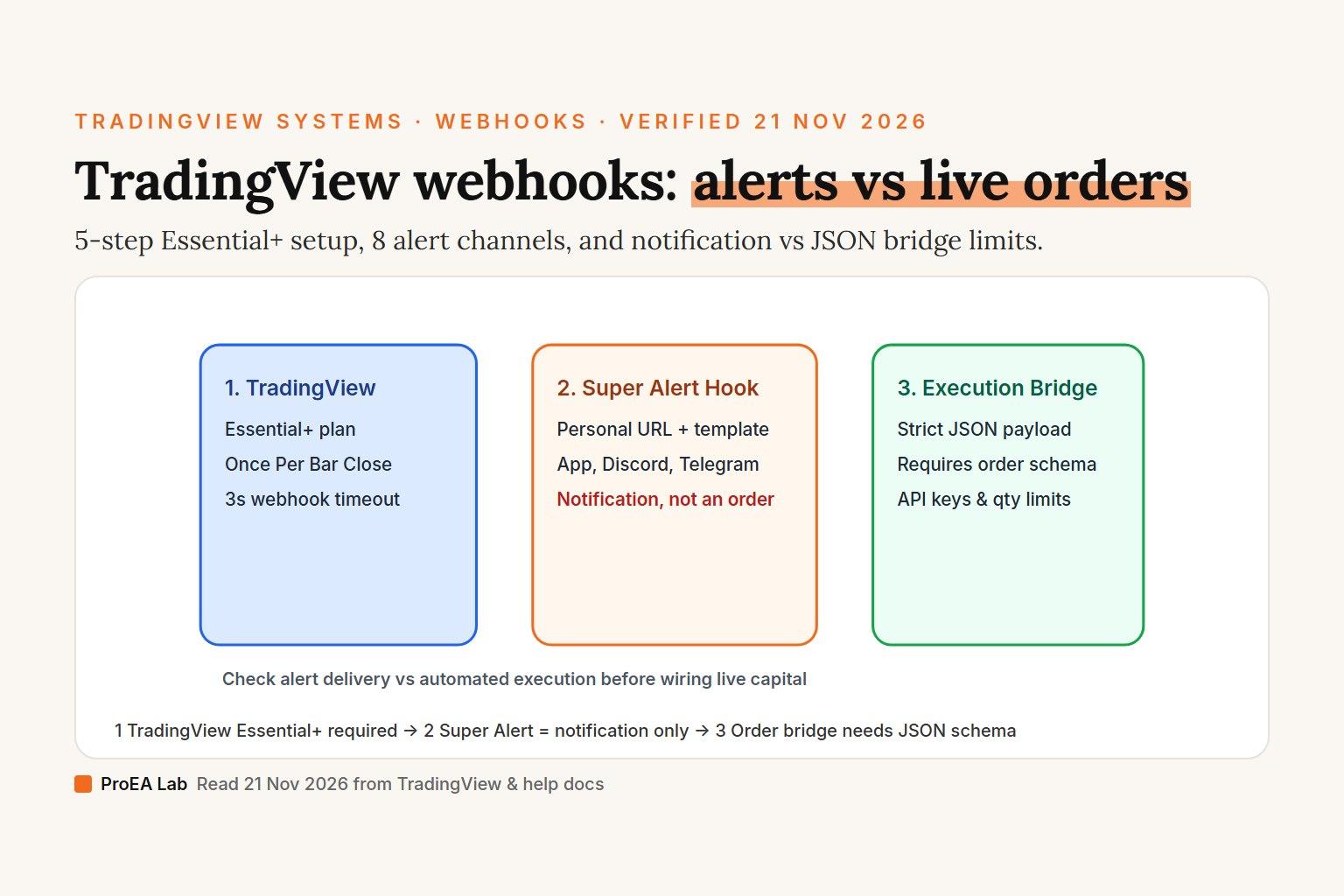
Sending TradingView alerts to a crypto exchange falls into two distinct workflows: notification delivery and automated order execution. On Bitunix, Super Alert uses a personal TradingView webhook URL to forward signals across 8 alert types to app push, web pop-ups, Discord, and Telegram — but Bitunix states explicitly that an alert is "a notification, not an order" and publishes no order JSON schema.
Generate your Super Alert message in the Super Alert setup checklist, or validate JSON payloads for automated execution bridges in our TradingView webhook JSON builder.
Notification webhooks vs order-execution webhooks
| Feature | Exchange Super Alert (Notifications) | Third-Party Order Bridge Webhooks |
|---|---|---|
| Action on trigger | Delivers notification ("not an order") | Submits API buy/sell/cancel JSON payload |
| TradingView requirement | TradingView Essential or higher | TradingView Essential or higher |
| JSON order schema | None published by Bitunix | Strict JSON (ticker, action, qty, secret) |
| Primary use case | Manual confirmation & risk check before entry | Unattended strategy automation |
Separating notifications from blind execution protects traders from unintended market fills caused by indicator repainting or misconfigured bar-close triggers. For a deeper troubleshooting matrix, read why TradingView alerts fail to trigger and our complete TradingView webhook guide.
Five-step TradingView to Super Alert setup
Per Bitunix's help centre (article 158, updated 10 August 2026, read 26 November 2026), connecting a TradingView signal takes 5 steps:
- Open Super Alert on Bitunix: Generate and copy your personal webhook URL and message template from the Super Alert page.
- Choose your condition on TradingView: Load your chart indicator or price level and click Create Alert on a TradingView Essential or higher plan.
- Enable Webhook URL: Under the Notifications tab in TradingView, toggle Webhook URL and paste your personal Super Alert URL.
- Paste the template in Message: Copy Bitunix's message template into the Message field (keep valid formatting; do not assume order fields are parsed for execution).
- Confirm delivery channels: Once fired, Bitunix delivers the alert to its web pop-up, bell inbox, mobile app push, plus email, Discord, or Telegram if linked.
Eight supported alert types and latency limits
Bitunix's Super Alert article (updated 21 August 2026) lists 8 built-in alert modes alongside TradingView triggers: Price, Indicator, Drawing, Candlestick, Combo, Template, TradingView, and On-chain. Neither the help guide nor the feature post publishes fixed delivery latency or documents custom payload keys beyond the provided template.
When configuring any webhook on TradingView, check three safeguards:
- Pin frequency to
Once Per Bar Close: Avoid mid-candle intrabar alerts that disappear before the bar closes. - Keep webhook responses under
3seconds: TradingView cancels requests that stall past its3-second HTTP timeout. - Verify sizing before clicking buy or sell: Use the fixed-risk position size calculator and check current maker/taker tiers on our futures fee reference before submitting manual limit entries.
Frequently asked questions
Does Bitunix Super Alert execute trades automatically from TradingView?
No. Bitunix's help centre (updated 10 August 2026) states that Bitunix only receives and delivers the alerts, and its Super Alert article (updated 21 August 2026) calls an alert a notification, not an order. Bitunix publishes no webhook JSON order format.
What TradingView plan do you need to send webhooks?
TradingView webhooks require TradingView Essential or higher. Free Basic accounts cannot enter a webhook URL in the Create Alert Notifications tab.
Which channels can deliver Super Alert notifications?
Bitunix's Super Alert documentation lists delivery to the Bitunix mobile app push, website pop-up, in-site inbox (bell icon), email, Discord, and Telegram across 8 supported alert categories.
How many steps does it take to wire TradingView to Super Alert?
Setup takes 5 steps: copy your personal Super Alert webhook URL and message template in Bitunix, open Create Alert on your TradingView chart, paste the URL into Notifications, paste the template into Message, and save the alert.
Why do TradingView alerts sometimes fail to trigger a webhook?
Common failures include running on a Free Basic plan without webhooks, selecting Once Per Bar Close vs Once Per Bar inconsistently, exceeding TradingView's 3-second webhook timeout, or using non-standard JSON syntax when targeting an external execution bridge.