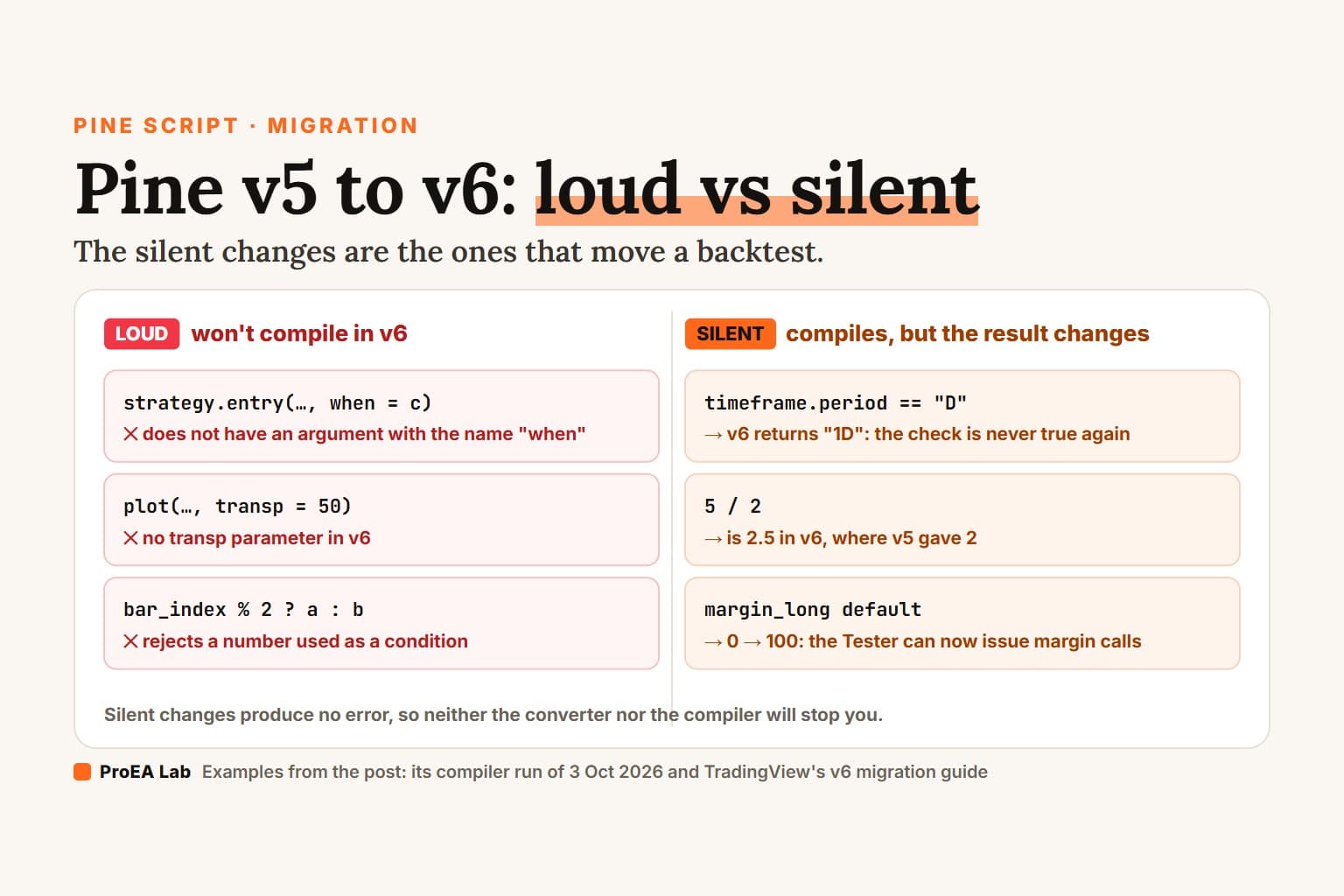
To migrate a Pine Script from v5 to v6, make sure it compiles in v5, open the Pine Editor's Manage script menu and choose Convert code to v6, then fix whatever the converter leaves behind. After that, check the changes that compile without complaint but alter what the script plots or trades. TradingView's official v6 migration guide covers every change, and they fall into two groups.
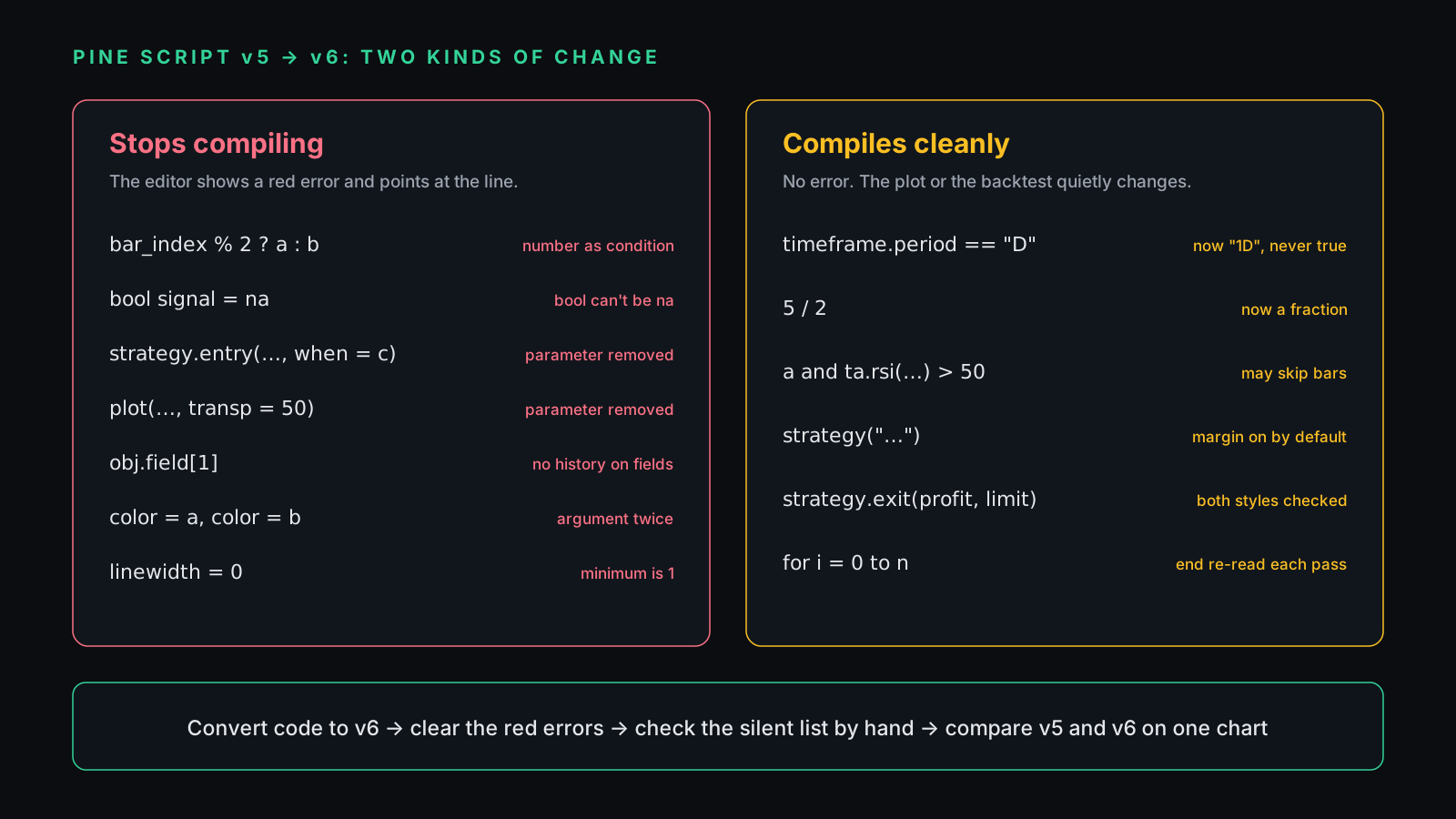
The first group is loud. The editor turns red and points at the line.
The second group is silent, and it's the one that moves a backtest.
How we checked
We put each old pattern into a small script and ran it through TradingView's compiler on 3 October 2026. Under //@version=5 the patterns compiled, with five warnings. Under //@version=6, every pattern in the first table below failed to compile. The messages quoted here come from that compiler; where it prints a function signature or a type name we didn't capture, we've cut it to "…". Every v6 fix in this post compiled with zero errors and zero warnings.
The silent changes can't be caught that way, because they compile. For those we rely on TradingView's guide and say so.
How do I convert a script to v6 automatically?
Open the script in the Pine Editor, click the Manage script dropdown and select Convert code to v6. TradingView's guide says the script must compile in v5 first, and that the converted code can still contain errors you fix by hand. Keep a copy of the v5 source in a text file before you convert. You will want it for the side-by-side comparison at the end.
A script still on v4 or older has to reach v5 first, so run the earlier conversion before this one.
Which v6 changes stop a script from compiling?
These are the easy ones, because the editor won't let you miss them.
| v5 code that compiled | v6 fix | What v6 does |
|---|---|---|
bar_index % 2 ? a : b | bar_index % 2 != 0 ? a : b | rejects a number used as a condition |
bool signal = na | an int state, or start at false | rejects na for a bool |
strategy.entry(…, when = c) | wrap the call in if c | no when parameter |
plot(…, transp = 50) | color.new(color.blue, 50) | no transp parameter |
obj.field[1] | (obj[1]).field | no history on UDT fields |
color = a, color = b | pass it once | same argument twice |
linewidth = 0 | linewidth = 1 | minimum is 1 |
Five of these were already warnings in v5. If your v5 script showed yellow warnings, they were a preview of this table.
A number can't stand in for true or false
In v5 a number could act as a condition: zero meant false, anything else meant true. v5 already flagged it: "The expr0 parameter of the operator ?: function accepts a 'bool' argument." v6 refuses to compile it. Write the comparison you meant, or wrap the number in bool():
// v5: compiled, with a warning
color c = bar_index % 2 ? color.green : color.red

// v6
color c = bar_index % 2 != 0 ? color.green : color.red
A bool can no longer be na
A v6 bool is only true or false, and na(), nz() and fixnan() no longer accept one. The compiler stops at the declaration with "Cannot assign a value of the … type to the … variable."
If your logic used na as a third state, meaning "no signal yet", carry that state in an int:
// v5
bool signal = na
signal := close > open ? true : na

// v6: 0 plays the role na used to play
int signal = 0
signal := close > open ? 1 : 0
Strategy calls lost the when parameter
v5 warned that when "will be deprecated in future Pine versions." In v6 it's gone from strategy.entry(), strategy.order(), strategy.exit(), strategy.close(), strategy.close_all(), strategy.cancel() and strategy.cancel_all(). The error ends with 'does not have an argument with the name "when"'. Move the condition into an if:
// v5
strategy.entry("Long", strategy.long, when = longCondition)

// v6
if longCondition
    strategy.entry("Long", strategy.long)
transp is gone
v5 said "The transp argument is deprecated." v6 removes it from plot(), bgcolor(), fill(), plotarrow(), plotchar() and plotshape(), with the same "does not have an argument with the name" error. Put the transparency inside the color:
// v5
plot(close, color = color.blue, transp = 50)

// v6
plot(close, color = color.new(color.blue, 50))
History on a user-defined type's field
This error prints its own fix: "Cannot use the history-referencing operator on fields of user-defined types. Reference the history of the object first by enclosing it in parentheses, and then request the field, e.g. "(object[1]).field" instead of "object.field[1]"."
// v5
float prev = info.level[1]

// v6
float prev = (info[1]).level
Duplicate arguments and thin lines
v5 quietly used the first of two color arguments and told you so: "More than one 'color' arguments are supplied. Only the first one will be used." v6 stops with "Two or more arguments are passed to the … parameter. You can pass only one argument." Delete the duplicate, and keep the one v5 was actually drawing: the first.
Same story for linewidth. v5 replaced anything below 1 with 1 and warned you; v6 refuses with "…cannot have a … value less than 1. Use a value of 1 or greater in the function call."
The rest of the compile errors
TradingView's guide lists four more that we didn't reproduce:
- parameters that expect a unique type, such as a plot style, can't receive
na, so everyswitchfeeding one needs a default branch; plot()no longer accepts a series value foroffset;- the
[]operator can't be used on literals or built-in constants; - a variable that changes between bars is now typed as series, so it can't be passed where a simple value is required.
Which v6 changes compile fine but change your results?
These produce no error, so neither the converter nor the compiler will stop you. Go through each one by hand before you trust a migrated backtest or a migrated signal.
timeframe.period now includes the multiplier
v6 returns "1D" where v5 returned "D", according to TradingView's guide. A check such as timeframe.period == "D" compiles and is never true again. If that check gated a daily-only filter, the filter is now off. Compare against "1D", or use timeframe.isdaily.
Dividing two constant whole numbers can return a fraction
The guide's example: 5 / 2 is 2.5 in v6, where v5 gave 2. In our check, int half = 10 / 4 and ta.sma(close, 10 / 4) both compiled in v6 with no error and no warning, so the compiler won't point you at these lines. Search the code for division between whole numbers and write the rounding you meant: int(), math.floor(), math.round() or math.ceil().
and / or stop evaluating early
v6 evaluates and and or lazily. When the left side already settles the answer, the right side doesn't run. That's harmless for plain comparisons and harmful for a ta.* call, which needs to run on every bar to keep its history straight. The compiler warns here, at least: "The "…()" call inside the conditional expression might not execute on every bar, which can cause inconsistent calculations because the function depends on historical results." Compute the value first:
// risky in v6
if close > open and ta.rsi(close, 14) > 50

// safe
float rsiVal = ta.rsi(close, 14)
if close > open and rsiVal > 50
Strategies apply margin by default
The default margin_long and margin_short changed from 0 to 100, so the Strategy Tester can now issue margin calls. A strategy that relied on unlimited buying power can show different trades after conversion. strategy("My strategy", margin_long = 0, margin_short = 0) reproduces the v5 setting.
Our view: if you trade with leverage, the margin-on report is the more honest of the two. Keep it on and read why the trades changed.
strategy.exit() checks both exit styles
If one strategy.exit() call passes relative levels (profit, loss) and absolute levels (limit, stop), v6 evaluates both and uses whichever triggers first. The fix is to pass one style per exit order.
Smaller ones that still bite
- for loops: the end value is now re-evaluated before every iteration, not once. If the loop body changes what the end value depends on, store the end in a variable before the loop.
- Arrays:
array.get(),array.set(),array.insert()andarray.remove()accept negative indices, with -1 meaning the last element. An index that used to stop the script with an error can now return a value. - Order limit: a strategy that passes 9,000 orders now trims the oldest instead of failing. Use
strategy.closedtrades.first_indexto find the first trade still kept. - Colors:
color.red,color.tealandcolor.yellowhave new values (for examplecolor.redmoved from #FF5252 to #F23645), andlabel.new()text now defaults to white. Before you file a bug, check whether only the screenshot looks different.
A ten-minute migration checklist
- Save the v5 source in a text file.
- Run Manage script → Convert code to v6 and clear every red error with the table above.
- Search the code for
timeframe.period ==, division between whole numbers,ta.calls on the right ofandoror, thestrategy(declaration, and anystrategy.exit(that mixes both exit styles. - Indicators: put the v5 and v6 versions on the same chart and find the first bar where their plots disagree.
- Strategies: run both versions on the same symbol, timeframe and date range, then compare trade count and the first trade that differs.
Step 5 takes the longest, and it's the step that catches the silent changes.
A clean compile only covers the left column. The backtest comparison covers the right.Where we stand
Every Pine tool we ship declares //@version=6, so there's nothing in it to migrate. Our Pine v6 tools come as readable .pine source with an AI extension kit, so you can ask a model to explain any line before you trust it. If you only want to see what clean v6 source looks like, VP Lite is free and full-source.
New to adding scripts at all? The install guide covers the Pine Editor, .pine files and the paste-over-the-template mistake.